I worked on My Maps, which enables users to create personalized maps and share with friends.
I also worked on the web platform of Google Maps, which is beloved by billions of users.
01. MY MAPS HOMEPAGE
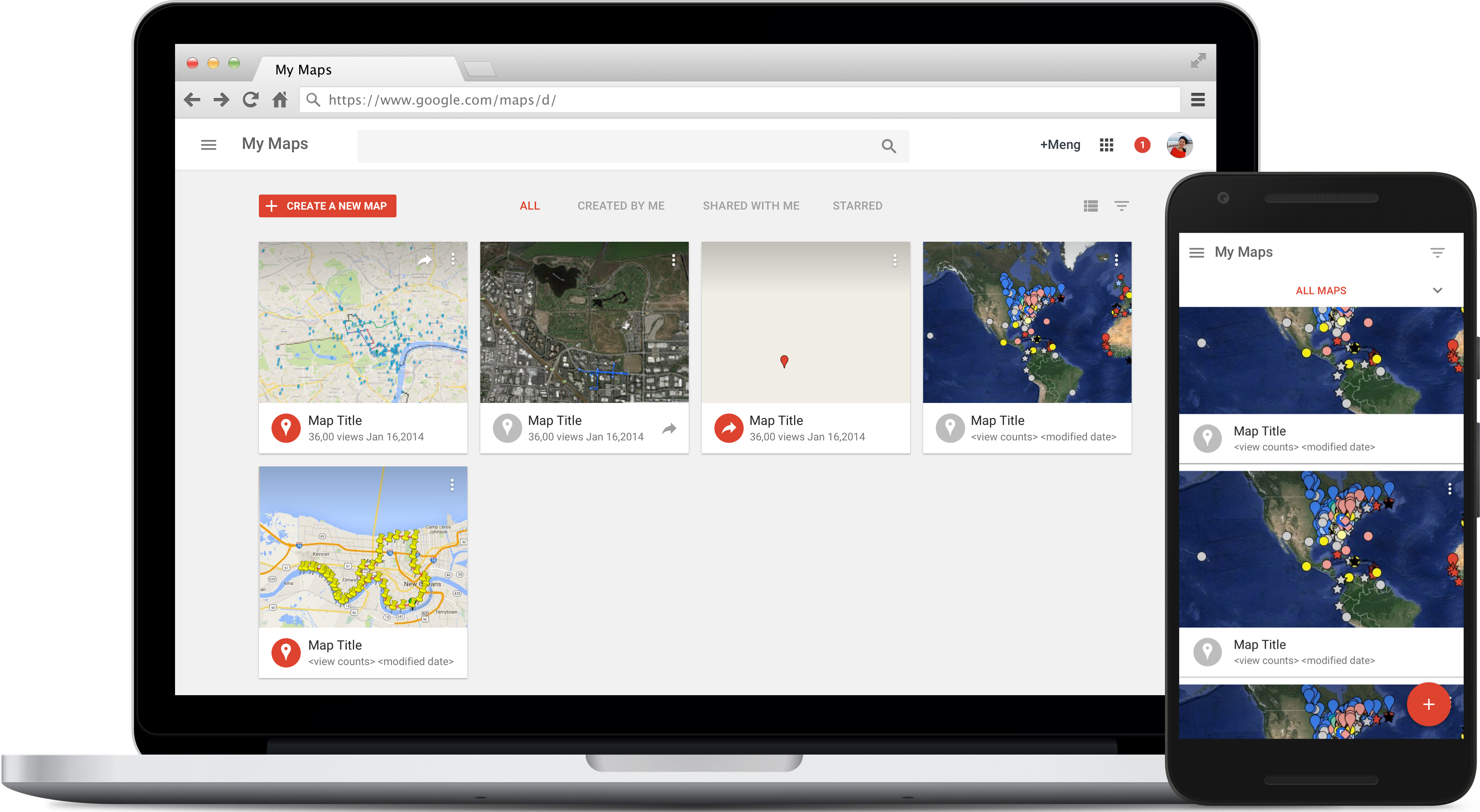
Finding a personalized map? New homepage makes it quick and easy
The My Maps homepage is the entry point to the My Maps product for many users, in particular the editors. The goal of this project is to redesign the homepage to increase map creations and opens. To accomplish this goal, the new homepage shows more maps at a clearer view. We introduce thumbnails, and sorting to make maps easier to identify, and to reduce steps to edit a map. The new homepage is also fully responsive, ready to create and open a map on both desktop and mobile browsers.
I worked with the team to identify homepage problems all the way to UI fit-n-finish, including initial research, concepts, mocks, and prototypes.
02. MOBILE WEB MAPS PROMO EXPERIMENTS
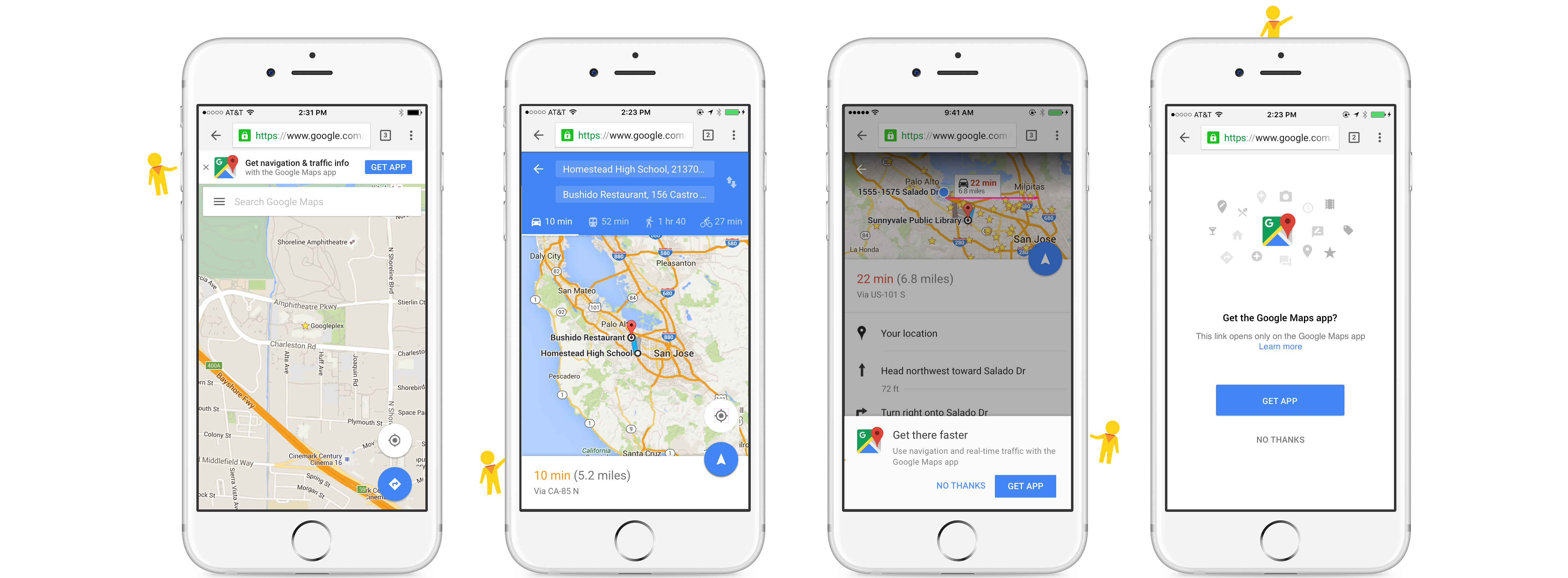
Get Google Maps app in your phone. Keep the best maps experience with you
Maps Lite (Mobile web maps) promos encourage users to download and use the native apps on iOS. The native app offers additional functionalities over the mobile web experience. Maps Lite property can provide a good place for us to promote native app installs. To accomplish these goals, new types of promos are introduced: homepage promo highlights core native app user benefits; Place-sheet inline promo emphasizes on review and photo features; Transit fab promo emphasizes on voice navigation and real time road condition. The principle is to promo native app benefits in the context of each use cases.
I worked with the Lite team iterate the idea and designed three kinds of promos targeting at iOS users without Google maps mobile app installed on their phone.
03. BROWSER NOTIFICATION
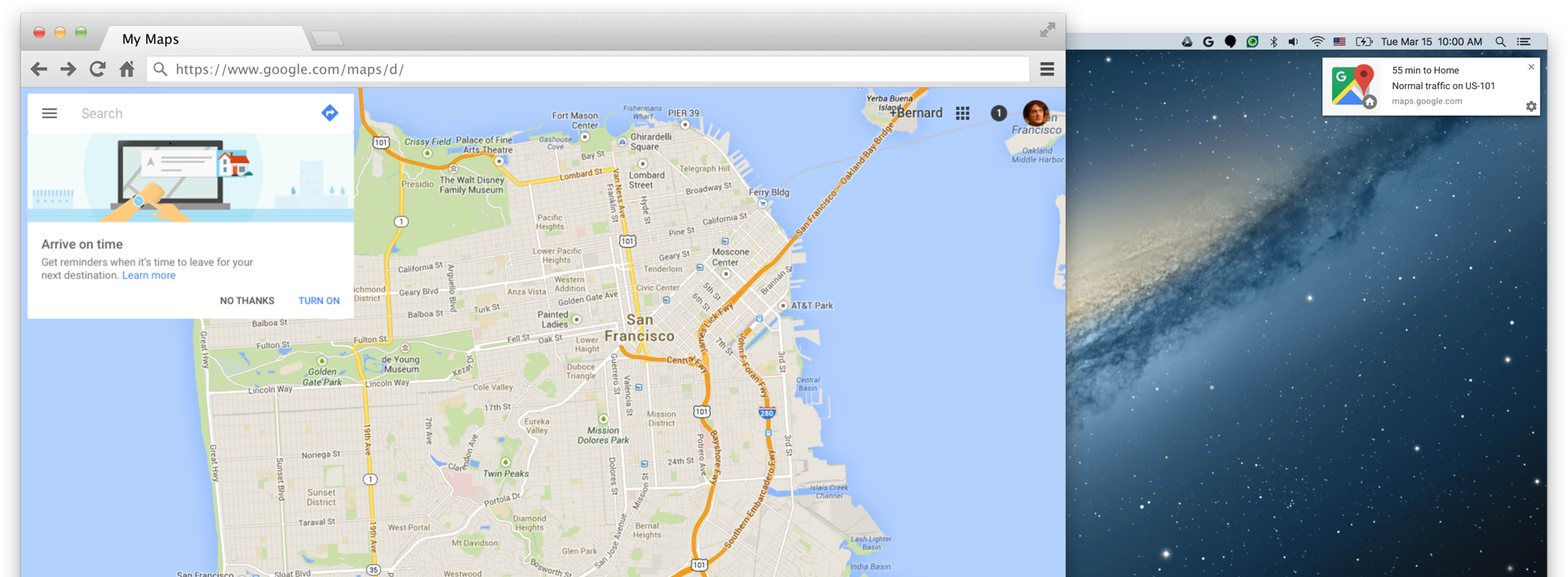
Assitive time to leave reminder for your next destination
We’re interested in learning whether we can drive desktop user growth using assistive browser notifications, which would keep users informed of commute time and road conditions. To let more users discover this feature, several types of enabling promos will be experimented, from a lightweight red dot to a delightful illustration.
I designed the browser notifications including the notification, enabling, and opting-out flows. I created flows, promo illustrations.

04. SIGN IN IMPROVEMENTS
Improvements keep sign in flow unified and consistent
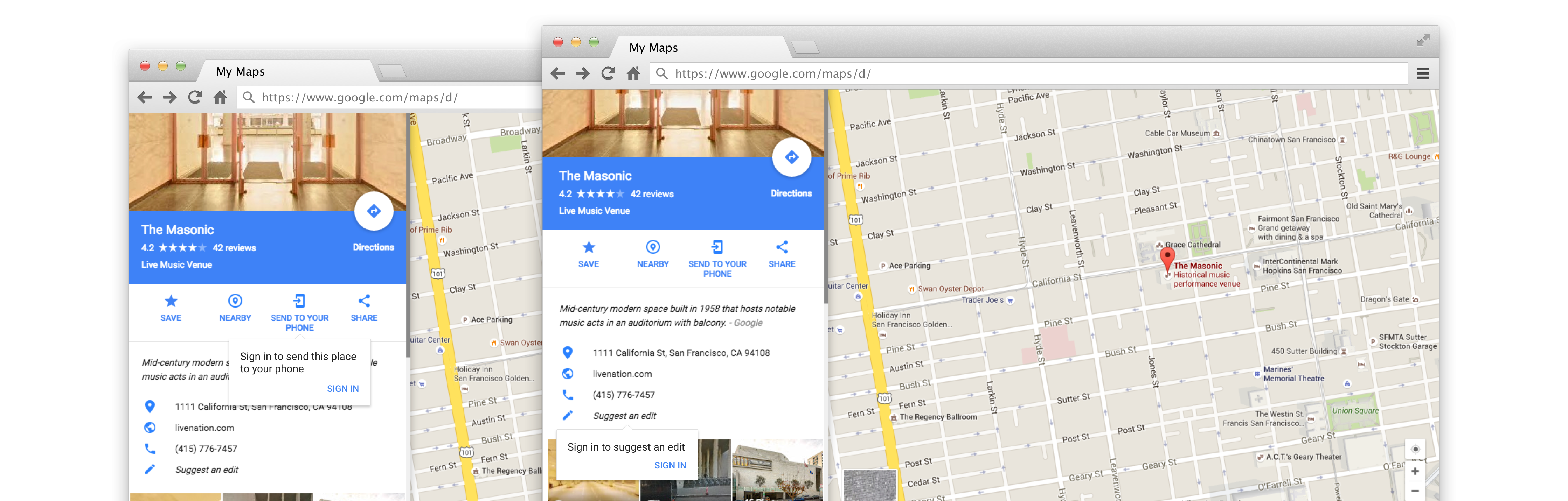
On desktop maps, multiple UI patterns and styles now prompt to user to complete sign in; Several sign in only features are hidden for non signed in users. The goal of this project is to unify sign in process and keep product excellent. I worked with the team to identify current sign in problems on Google Maps, and to unify sign in flows from various entry points. I explored different flows, made prototypes, and checked in with identity team for best practice and consistency.
05. SPLIT-SCREEN STREET VIEW
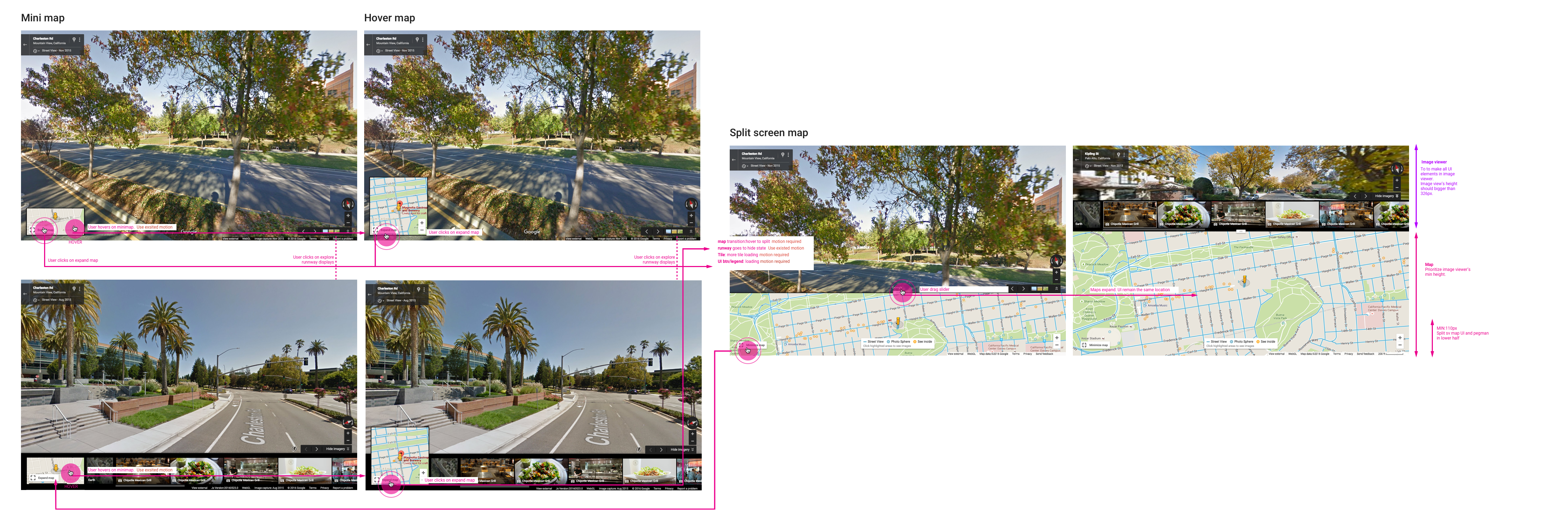
Bigger, more useful streetview map inside image viewer
The goal is to allow users who are exploring street view to see a more detailed map as they click around in street view. Currently in street view, the map is small. Newer split screen street view can give users the ability to view bigger map alongside the Street View or other imageries.
I worked with ENG and PM to design a new streetview map inside the image viewer, and the way of expanding small pegman map to split screen map to improve usability. I also designed the detailed flows and the responsive UI.